Text messages
How you sign up for SimWoods Golf booking texts, and what you will get.
How you opt in
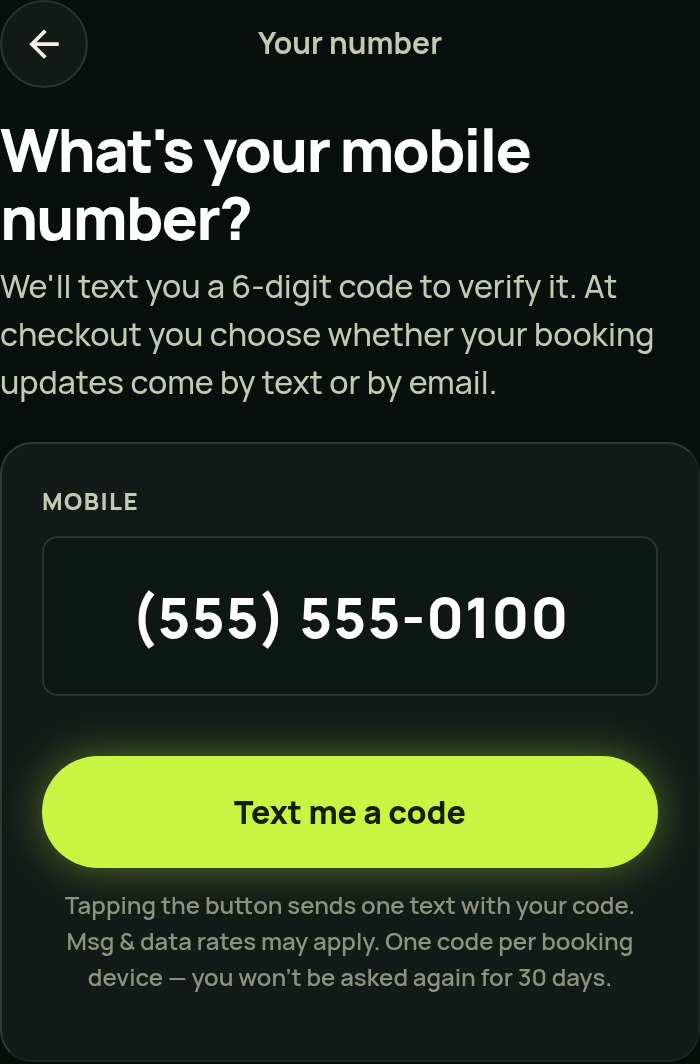
Step 1. When you book at book.simwoodsgolf.com, you enter your mobile number and tap “Text me a code”. That sends one text with a 6-digit code to verify the number. Nothing else is sent unless you opt in at step 2.
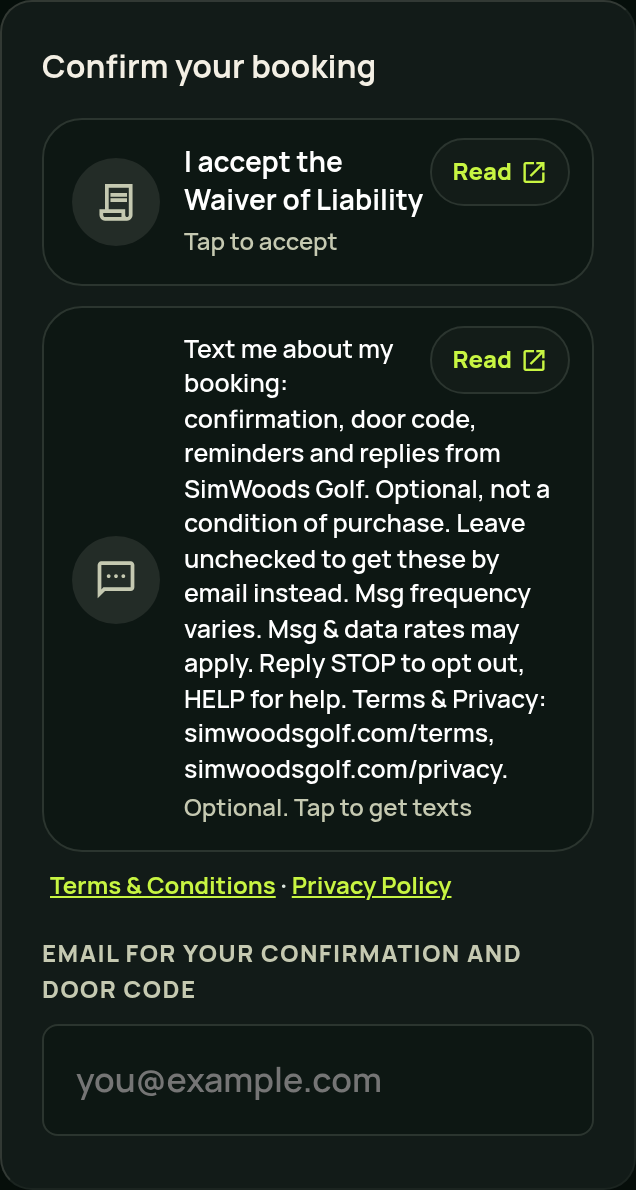
Step 2. The checkout page shows your verified mobile number and this checkbox. It starts unchecked, and you can book without ticking it:
Directly under the box are links to our Terms and Conditions and our Privacy Policy, so you can read both before you decide. This is how it looks on a phone at checkout:
You can also text us first at (586) 315-4653; we only reply to your message.
What we send
- Your booking confirmation.
- Your door code, shortly before your session.
- Reminders, and a notice when your session is about to end.
- Receipts and payment links for your bookings.
- Replies when you text us.
These are service texts about your own bookings. We do not send advertising by text.
Frequency and cost
Message frequency varies with your bookings, usually two to five texts per booking. Msg & data rates may apply.
Stopping or getting help
Reply STOP to opt out of all texts, START to resume, or HELP for help. You can also reach us at swgsocial@simwoodsgolf.com or (586) 315-4653. Carriers are not liable for delayed or undelivered messages.
Ready when you are
Pick a time, pay online, and your door code arrives by text or email when your session starts.
golf_course Book online